How to get Gimmighoul Coin Bag

1

First pair your Phone + Nintendo Switch
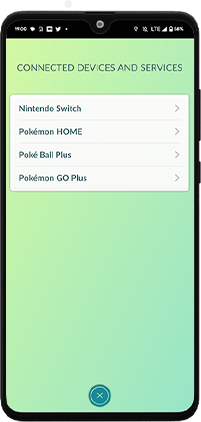
Phone connected devices screen
1a On your phone go to Connected Devices > Nintendo Switch and click Connect to Nintendo Switch.
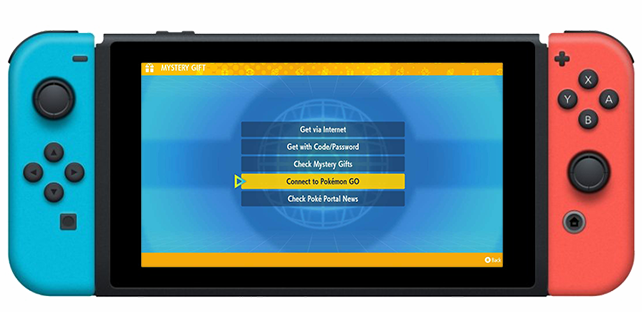
Switch Mystery Gift connect screen
1b On your Switch go to Mystery Gift and Connect to POGO.
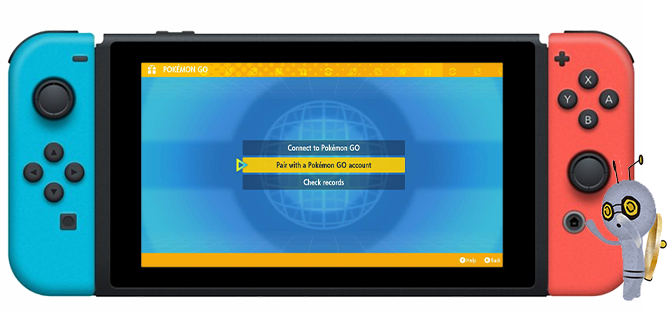
Switch pair with POGO account screen
Click Pair with POGO account and follow prompts.
2

Once you paired your devices, go to Postcard Book in POGO

3

On your Phone send postcard, then confirm on Switch
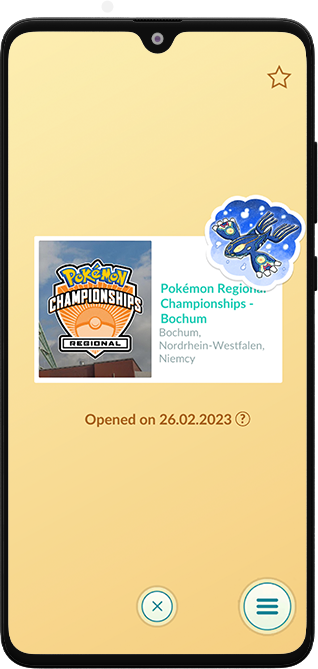
Postcard screen in Pokemon GO
Select postcard from your Postcard Book.
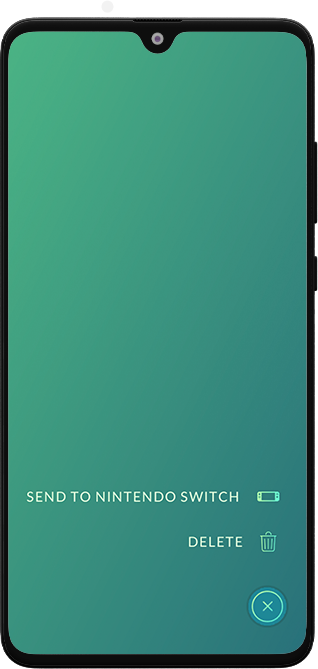
Send to Nintendo Switch screen
Click bottom-right button and choose Send to Nintendo Switch.
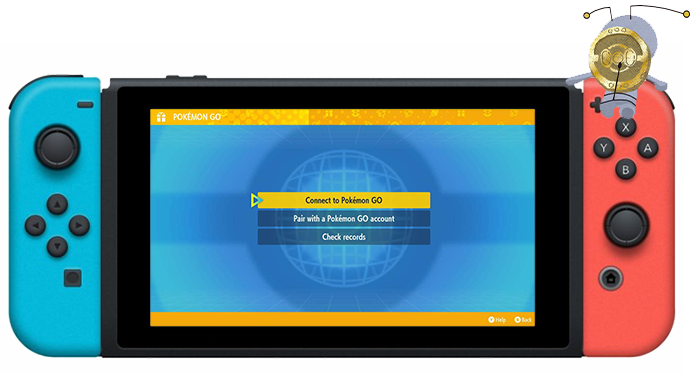
Switch connect to Pokemon GO screen
4 On your Switch click Connect to POGO and follow prompts on your console and phone.
5

Coin Bag will appear in your inventory
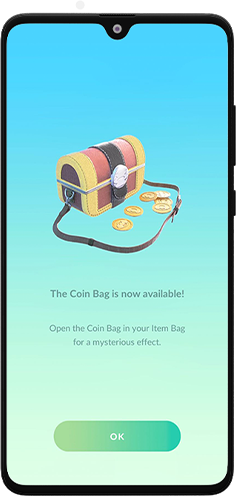
Coin Bag available screen
Note: If you don’t own a console and Scarlet/Violet, you must ask a friend that owns them for assistance to get Coin Bag.